實踐教程|如何用YOLOX訓練自己的數據集?
 加入技術交流群
作者 | JuLec@知乎(已授權)
來源 | https://zhuanlan.zhihu.com/p/402210371
編輯 | 極市平臺
導讀
Yolo系列因為其靈活性,一直是目標檢測熱門算法。無奈用它訓練自己的數據集有些不好用,于是有空就搞了一下,訓練自己的數據集。
代碼:https://github.com/Megvii-BaseDetection/YOLOX
論文:https://arxiv.org/abs/2107.08430
Yolo系列因為其靈活性,一直是目標檢測熱門算法。無奈用它訓練自己的數據集有些不好用,于是有空就搞了一下,訓練自己的數據集。
1.安裝YOLOX
git clone git@github.com:Megvii-BaseDetection/YOLOX.git
cd YOLOX
pip3 install -U pip && pip3 install -r requirements.txt
pip3 install -v -e .  # or  python3 setup.py develop
pip3 install cython; pip3 install 'git+https://github.com/cocodataset/cocoapi.git#subdirectory=PythonAPI'
2.下載預訓練權重
https://github.com/Megvii-BaseDetection/YOLOX/blob/main/exps/default/yolox_s.py
3.準備自己的Voc數據集
-----datasets
   ------VOCdevkit
      ------DATA_NAME   #  你自己存儲數據集的文件夾名稱
         ------JPEGImages
            ------000000000000000.jpg
         ------Annotations
            ------000000000000000.xml
         ------ImageSets
            -------Main
                ------trainval.txt
                ------test.txt
4.配置文件編輯(config.yaml)
CLASSES:
- person             # 數據集的標簽,本教程只檢測人
CLASSES_NUM: 1       # 待檢測的類別個數
SUB_NAME: 'custom'   #  上一步中的DATA_NAME
5.修改yolox文件,適配自己的數據集
5.1
首先在exps/example/yolox_voc/yolox__voc_s.py文件最前面寫入下面的代碼,主要是采用yaml解析config.yaml獲得SUB_NAME
import sys
sys.path.insert(1,"../../")
# parseYaml庫是自己編寫的用于解析yaml
import parseYaml
cfg = parseYaml.get_config("./config.yaml")
DATA_NAME = cfg.SUB_NAME
注:parseYaml腳本如下:
import yaml
import os
from easydict import EasyDict as edict
class YamlParser(edict):
    """ This is yaml parser based on EasyDict.
    """
    def __init__(self, cfg_dict=None, config_file=None):
        if cfg_dict is None:
            cfg_dict = {}
        if config_file is not None:
            assert(os.path.isfile(config_file))
            with open(config_file, 'r') as fo:
                cfg_dict.update(yaml.load(fo.read(),Loader=yaml.FullLoader))
        super(YamlParser, self).__init__(cfg_dict)
    def merge_from_file(self, config_file):
        with open(config_file, 'r') as fo:
            self.update(yaml.load(fo.read()))
    def merge_from_dict(self, config_dict):
        self.update(config_dict)
def get_config(config_file=None):
    return YamlParser(config_file=config_file)
5.2 修改voc_classes.py
cfg = parseYaml.get_config("./config.yaml")
if cfg.CUSTOM:
    VOC_CLASSES = cfg.CLASSES
else:
    VOC_CLASSES = (
        "person",
        "aeroplane",
        "bicycle",
        "bird",
        "boat",
        "bus",
        "bottle",
        "car",
        "cat",
        "chair",
        "cow",
        "diningtable",
        "dog",
        "horse",
        "motorbike",
        "pottedplant",
        "sheep",
        "sofa",
        "train",
        "tvmonitor",
    )
5.3
修改Exp類的_init__方法,主要是采用yaml解析獲得CLASS__NUM
def __init__(self):
    super(Exp, self).__init__()
    self.num_classes = cfg.CLASSES_NUM    # 獲得檢測的類別個數
    self.depth = 0.33
    self.width = 0.50
    self.exp_name = os.path.split(os.path.realpath(__file__))[1].split(".")[0]
5.4 修改數據加載過程
dataset = VOCDetection(
      data_dir=os.path.join(get_yolox_datadir(), "VOCdevkit"),
      # image_sets=[('2007', 'trainval'), ('2012', 'trainval')],
      image_sets=[(DATA_NAME, 'trainval')],      # 適配自己的數據集名稱
      img_size=self.input_size,
      preproc=TrainTransform(
          rgb_means=(0.485, 0.456, 0.406),
          std=(0.229, 0.224, 0.225),
          max_labels=50,
      ),
      custom=True,                                # 新增custom參數
  )
5.5
根據5.3中的custom參數,修改voc.py中的VOCDetection的_init_方法
class VOCDetection(Dataset):
    def __init__(
        self,
        data_dir,
        image_sets=[('2007', 'trainval'), ('2012', 'trainval')],
        img_size=(416, 416),
        preproc=None,
        target_transform=AnnotationTransform(),
        dataset_name="VOC0712",
        custom = True                      # 新增
    ):
        super().__init__(img_size)
        self.root = data_dir
        self.image_set = image_sets
        self.img_size = img_size
        self.preproc = preproc
        self.target_transform = target_transform
        self.name = dataset_name
        self._annopath = os.path.join("%s", "Annotations", "%s.xml")
        self._imgpath = os.path.join("%s", "JPEGImages", "%s.jpg")
        self._classes = VOC_CLASSES
        self.ids = list()
        self.custom = custom
        if self.custom:            # 處理自己的數據集
            self.base_dir,self.custom_name = image_sets[0]    # DATA_NAME
            rootpath = os.path.join(self.root, self.base_dir)
            for line in open(
                os.path.join(rootpath, "ImageSets", "Main", self.custom_name + ".txt")
            ):
                self.ids.append((rootpath, line.strip()))
        else:                     # 處理默認的Voc數據集
            for (year, name) in image_sets:
                self._year = year
                rootpath = os.path.join(self.root, "VOC" + year)
                for line in open(
                    os.path.join(rootpath, "ImageSets", "Main", name + ".txt")
                ):
                    self.ids.append((rootpath, line.strip()))
5.6 修改get_eval_loader方法
valdataset = VOCDetection(
      data_dir=os.path.join(get_yolox_datadir(), "VOCdevkit"),
      # image_sets=[('2007', 'test')],
      image_sets=[(DATA_NAME, 'test')],
      img_size=self.test_size,
      preproc=ValTransform(
          rgb_means=(0.485, 0.456, 0.406),
          std=(0.229, 0.224, 0.225),
      ),
      custom=True,
  )
6.執行訓練
python tools/train.py -f exps/example/yolox_voc/yolox_voc_s.py
                      -expn TEST
                      -d 4
                      -b 64
                      --fp16
                      -o
                      -c weights/yolox_s.pth
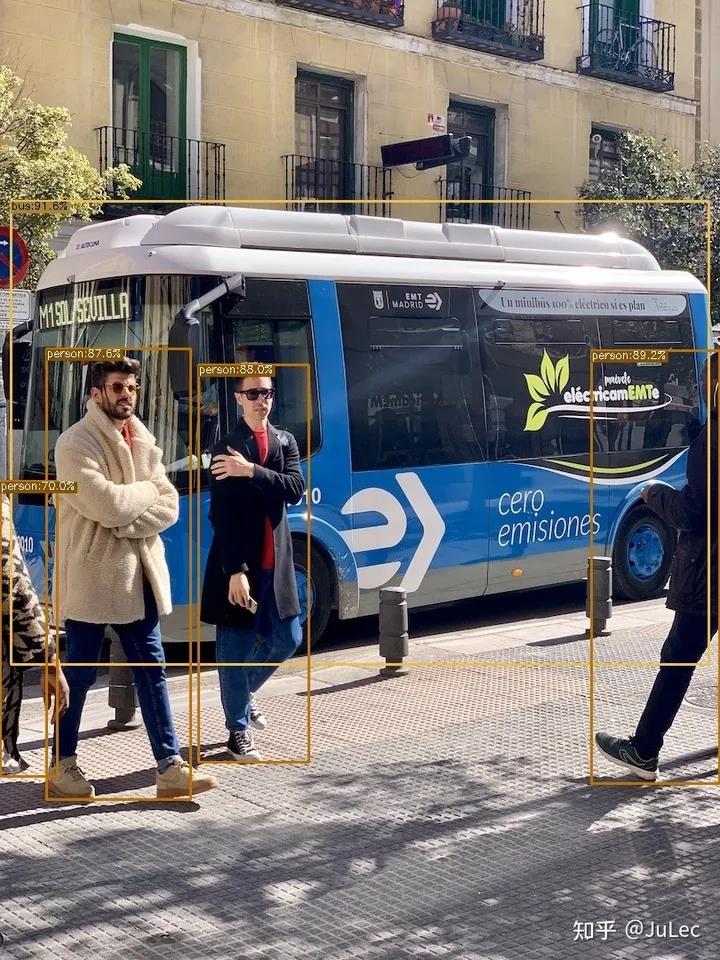
7.執行推理驗證
python tools/demo.py image/video/webcam
                   -f exps/example/yolox_voc/yolox_voc_s.py
                   -c YOLOX_outputs/yolox_voc_s/best_ckpt.pth.tar
                   --path img/1.jpg
                   --conf 0.25
                   --nms 0.45
                   --tsize 640
                   --save_result
                   --device gpu
                   # if choose webcam
                   --camid 0/"rtsp:"
本文僅做學術分享,如有侵權,請聯系刪文。
*博客內容為網友個人發布,僅代表博主個人觀點,如有侵權請聯系工作人員刪除。